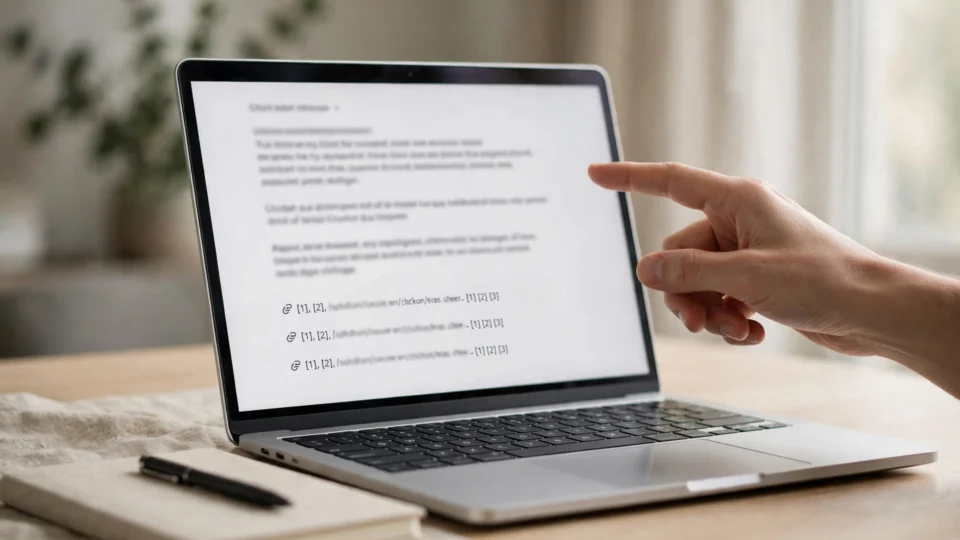
ChatGPT Business Hub is a free dashboard from OpenAI that shows eligible businesses how often ChatGPT mentions their brand, how many people view their business profile, and how many click through to their website. You can find it at chatgpt.com/business-hub, where you claim your business profile, correct your details, and see your numbers over rolling 7-day and 28-day views. It does not guarantee that ChatGPT will recommend your business more often — it simply shows you what is already happening, so you can see whether AI search is sending you any attention at all. Treat the first numbers you see as a starting point, not as proof of success or failure.
What is ChatGPT Business Hub?
ChatGPT Business Hub is part of “Businesses in ChatGPT,” a feature OpenAI launched in beta on November 10, 2026. It gives eligible businesses a place to claim their profile in ChatGPT, correct the details ChatGPT shows about them, add product feeds, and see insights about how their business appears in ChatGPT answers. OpenAI says 1.2 billion people use ChatGPT each week, so even a small share of that attention can matter to a business that depends on being found online.
Until this launch, businesses had no way to see whether ChatGPT was mentioning them at all. Search engines have long offered tools like Google Search Console that show impressions, clicks and queries; AI chatbots offered nothing comparable. That is why SEO consultant Kevin Indig described Business Hub as “a sort of Search Console for ChatGPT” — it is the first official window into how an AI assistant treats your brand. Source: PPC Land, “Businesses gain ChatGPT click and mention counts in OpenAI’s Business Hub”, and SEO Weekly, November 11, 2026 issue.
The hub matters most for businesses that customers discover through questions rather than through a brand-name search. If someone asks ChatGPT for “the best guest posting service for SaaS companies” or “a link building agency in Pakistan,” the answer may name your business, link to your website, or show your profile. Business Hub is where you find out whether that is happening, how often, and what people click next.
How do I claim my business on ChatGPT?
The process is straightforward, but take care to get the details right — the information you confirm here is what ChatGPT may show to people asking about businesses like yours.
- Go to chatgpt.com/business-hub. Sign in with the account you want to manage the business from, and look for the option to claim your business profile.
- Search for your business. OpenAI has already built profiles for many businesses from public information. Find yours and confirm it is the right one — check the name, website and location carefully before claiming.
- Verify that you own or represent the business. Follow the verification steps OpenAI shows you. Only a verified owner or authorised representative should claim a profile, and you should be able to prove the connection to the business if asked.
- Correct your details. Fix anything wrong — your business name, description, website address, location and contact details. Wrong details here can end up in ChatGPT’s answers, so treat this like proofreading your own listing.
- Add a product feed if you sell products. Eligible businesses can add product feeds so ChatGPT can show accurate, current product information. Keep the feed updated; stale product data is worse than no product data.
- Check your insights. Once claimed, your dashboard shows mentions, profile views and website clicks over rolling 7-day and 28-day views. Give it time — a single day of data tells you almost nothing.
If your business does not appear yet, do not panic. The feature is in beta, and OpenAI is rolling it out gradually. Keep your website’s business information accurate and consistent, so that when your profile does appear, it is built from correct information. Our guide to how to measure AI visibility explains the wider checks you can run while you wait for a Business Hub profile.
What does ChatGPT Business Hub show?
Business Hub shows four kinds of insight, all over rolling 7-day and 28-day views. Understanding each one matters, because they measure different things — and confusing them leads to wrong conclusions about whether AI search is working for you.
- Mentions. How often ChatGPT mentions your business in its answers. This is the headline number, and the one most businesses will check first.
- Profile views. How many people viewed your business profile inside ChatGPT. A profile view means someone was interested enough to look closer after seeing your business mentioned.
- Website clicks. How many people clicked from ChatGPT through to your website. This is the number closest to real traffic, and it is usually much smaller than the mention count.
- Top 5 discovery topics. The five topics or themes through which people most often discover your business — in other words, the kinds of questions that lead ChatGPT to mention you.
The top 5 discovery topics are the most useful part of the dashboard for planning. If your business is discovered mainly through one topic, that tells you where your visibility is concentrated. If the topics do not match the services you most want to sell, that is a signal to strengthen your content and your presence in that area.
Read the numbers together, not in isolation. Mentions without clicks mean ChatGPT is naming you but people are not visiting. Profile views without clicks mean people looked but did not go further. Clicks are the step that brings someone to your site, where you can actually win their business.

What counts as a mention in ChatGPT?
Not every time ChatGPT writes your brand name counts as a mention in Business Hub. According to SEO consultant Kevin Indig, writing in the November 11, 2026 issue of SEO Weekly, a mention counts only when your website is referenced or cited — not when the brand name alone appears in an answer. That distinction matters, because a passing name-drop without a link or citation is much less valuable than a mention that points someone toward your site.
Think of it this way: if ChatGPT lists your business as one of several options and links to your website, that is a mention. If it simply uses your brand name in a sentence without pointing anywhere, it may not register. This is one reason the mention count and the click count behave so differently — a mention with a citation is the kind that can turn into a visit.
The practical lesson is to make your business easy to cite. ChatGPT draws on what it can find and verify about you: your website, your published content, listings and profiles that confirm who you are and what you do. A business with a clear, well-structured website, accurate business details and genuinely useful content gives ChatGPT something solid to reference. A business with thin, inconsistent or out-of-date information gives it very little to work with. Our comparison of AI visibility vs search rankings explains why being citable matters as much as being ranked.
What does ChatGPT Business Hub not show?
Business Hub is useful, but it is not a complete picture of your AI visibility. Knowing what it leaves out stops you from drawing conclusions the data cannot support. The table below summarises the difference.
| What Business Hub shows | What Business Hub does not show |
|---|---|
| Mentions of your business in ChatGPT | What users actually asked before your business was mentioned |
| Profile views inside ChatGPT | The text of users’ conversations with ChatGPT |
| Website clicks from ChatGPT | What visitors did after they reached your website |
| Top 5 discovery topics | Mentions in other AI tools such as Perplexity or Gemini |
| Rolling 7-day and 28-day views | Why ChatGPT chose your business over a competitor |
A third limit is just as important: the dashboard does not explain why ChatGPT mentioned you or why it mentioned a competitor instead. It reports the outcome, not the reasoning. If your mentions fall, Business Hub will not tell you whether a competitor published better content, whether your own information went stale, or whether the questions people ask simply changed.
How should I read the numbers in ChatGPT Business Hub?
The first numbers you see in Business Hub will probably look small — and that is normal. Early reports from live dashboards show how wide the gap between mentions and clicks can be. SEO consultant Lily Ray reported 8 clicks for 26 mentions on her dashboard, while the bookings platform BuildUp Bookings reported 690 mentions and 24 website clicks over 28 days. Both examples are reported figures from other businesses, not VonixCo data, but they illustrate the same pattern: mentions are common, clicks are rare. Source: PPC Land.
Do the maths on those two examples and the click-through rate is strikingly different: about 31% for Lily Ray’s 26 mentions, and about 3.5% for BuildUp Bookings’ 690 mentions. That difference is not a mistake — it reflects different businesses, different topics and different kinds of questions. Compare your numbers against your own past performance, not against another business’s dashboard.
Three reading rules will keep you honest. First, use the 28-day view for judgement and the 7-day view only for spotting sudden changes — a week is too short to judge a trend. Second, track the ratio of clicks to mentions over time rather than either number alone; a rising ratio means ChatGPT is mentioning you in more relevant contexts, while a falling ratio means the opposite. Third, watch your top 5 discovery topics each month and ask whether they match the services you actually want to sell — if they do not, that mismatch is your content and positioning work for the next month.
What are Business Agents, and who can use them?
Alongside Business Hub, OpenAI launched Business Agents — branded chat assistants that businesses can offer inside ChatGPT. A Business Agent lets a customer talk to a business’s own assistant within ChatGPT, for example to ask about products or services, instead of only reading a general answer.
For businesses that cannot use Business Agents yet, the practical takeaway is simple: focus on the profile and the insights. A correct profile and a clear picture of your mentions are useful whether or not you ever run a branded assistant inside ChatGPT.
Does claiming my profile help ChatGPT recommend my business?
Claiming your profile does not guarantee higher placement, more mentions or more sales. ChatGPT keeps making independent recommendations based on what it considers relevant and useful, and claiming a profile does not buy you a better answer. OpenAI has been clear on this point, and any provider that promises you guaranteed ChatGPT placement in exchange for a fee is not describing how the system works.
So what does claiming actually do? It corrects the record. If ChatGPT is showing an old address, a wrong description or an outdated website for your business, claiming the profile lets you fix it. Accurate information helps ChatGPT give accurate answers about you — and accurate answers are more likely to be useful to the person asking, which is the only honest path to more mentions. It also gives you the data to see whether your wider visibility work is having any effect.
This is also where realistic expectations matter. ChatGPT mentions are one channel among many. A business that is invisible on Google, has no useful content and no credible links will not become visible in ChatGPT because it claimed a profile. The profile is a window and a correction tool, not a marketing campaign. The work that earns mentions — clear positioning, genuinely useful content, accurate business information everywhere, and credible third-party references — is the same work that earns visibility everywhere else. For a fuller picture of how the two kinds of visibility relate, see our guide to AI visibility vs search rankings.
How does ChatGPT Business Hub fit into a wider AI visibility strategy?
Also remember that ChatGPT is only one AI assistant. People ask similar questions in Perplexity, Google AI Mode, Gemini and Copilot, and none of those answers appear in Business Hub. Track your brand mentions across AI search more broadly — our guide to brand mentions in AI search covers how — and use Business Hub as your ChatGPT-specific check, not as your only measure of AI visibility.

When should you hire a service like VonixCo?
Hire help when the work behind AI visibility is more than your team can do consistently: publishing genuinely useful articles that answer the questions people ask AI assistants, earning placements and links on niche-relevant sites that confirm your expertise, keeping your business information accurate everywhere, and tracking mentions across ChatGPT and other AI tools month after month. One article is easy; doing it every week, while also doing outreach and keeping everything consistent, takes a team and a process.
VonixCo is a niche-relevant guest posting and SaaS link building service based in Lahore, Pakistan. Its services are SaaS guest posts, niche guest posts, link building and guest post content writing, with plans at $500, $950 and $1,800 per month, content included and a live link report with every placement. Contact: info@vonixco.com and WhatsApp +92 340 0096621.
If your needs are simple — a profile claimed, a few details corrected, a couple of articles written — do that work yourself this month. Bring in a service when the volume, the consistency or the outreach grows beyond what your team can sustain. And keep the launch’s own lesson in mind: no honest provider can promise that ChatGPT will mention or recommend your business, because claiming a profile does not guarantee placement and ChatGPT keeps making independent recommendations.
Frequently asked questions
What is ChatGPT Business Hub?
ChatGPT Business Hub is a free dashboard from OpenAI, at chatgpt.com/business-hub, that lets eligible businesses claim their profile, correct their details, add product feeds, and see insights over rolling 7-day and 28-day views — including mentions, profile views, website clicks and the top 5 discovery topics. It launched in beta on November 10, 2026, as part of “Businesses in ChatGPT.”
How do I claim my business on ChatGPT?
Go to chatgpt.com/business-hub, sign in, search for your business, and follow the verification steps to prove you own or represent it. Once verified, correct your business details and add a product feed if you sell products. Your insights dashboard then shows mentions, profile views and website clicks over rolling 7-day and 28-day views.
What counts as a mention in ChatGPT Business Hub?
A mention counts only when your website is referenced or cited in a ChatGPT answer, not when your brand name alone appears. That is why mentions and clicks behave so differently: a mention with a citation is the kind that can turn into a website visit. Making your business easy to cite — with a clear website and accurate business information — is the honest way to earn more counted mentions.
Is ChatGPT Business Hub free?
Yes, it is free at launch. OpenAI has not ruled out charging for it later, so the free access available now is worth using while it lasts. Claiming a profile and reading your insights costs nothing today, and there is no charge for correcting your business details.
Does claiming my profile guarantee ChatGPT will recommend my business?
No. Claiming your profile does not guarantee higher placement, more mentions or more sales, and ChatGPT keeps making independent recommendations. What claiming does is correct the details ChatGPT shows about your business and give you data on how often you are mentioned, so you can see whether your wider visibility work is having any effect.
What does ChatGPT Business Hub not show?
It does not show the text of users’ conversations — OpenAI does not share those — nor the exact questions that led to a mention, only the top 5 discovery topics. It also does not cover mentions in other AI tools such as Perplexity or Gemini, does not track what visitors do after reaching your website, and does not explain why ChatGPT chose your business over a competitor.