

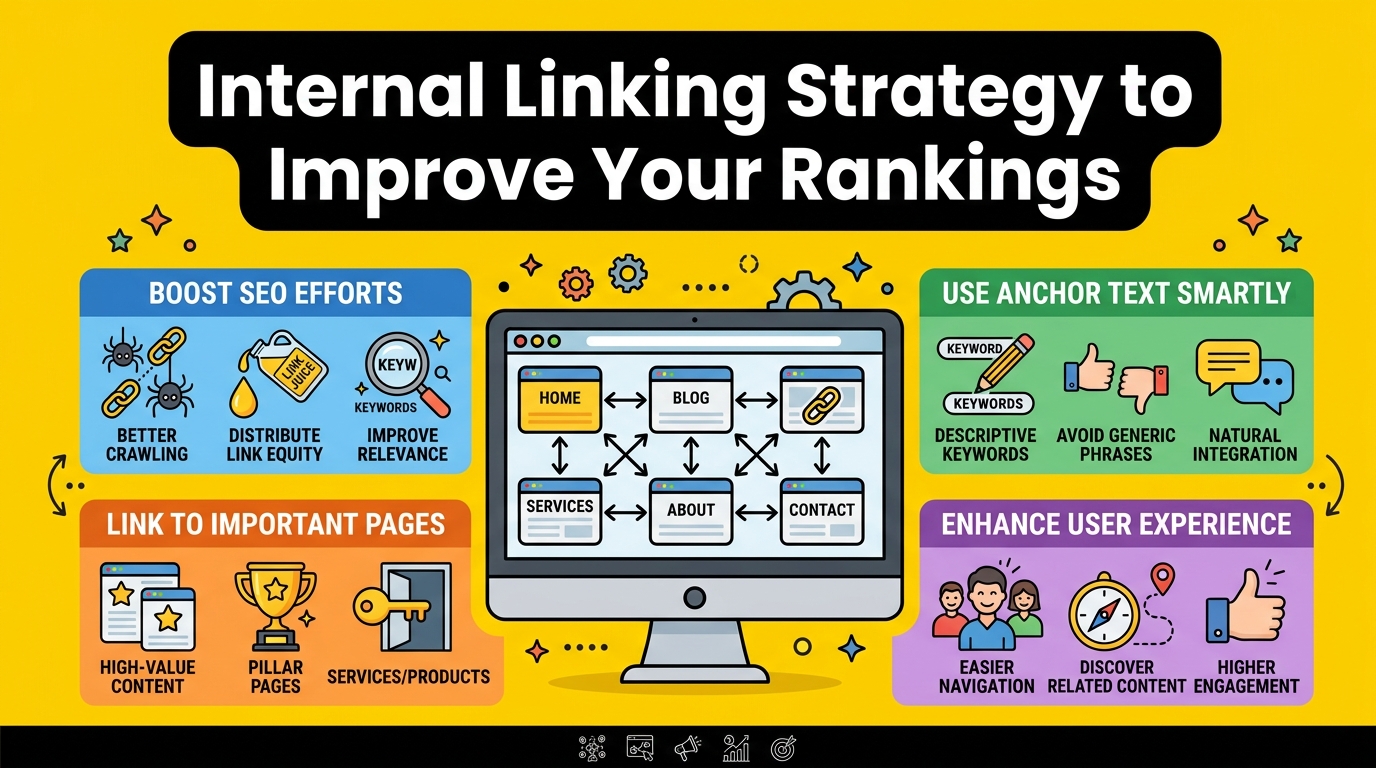
Introduction: Why Internal Linking Is the SEO Secret You’re Probably Ignoring
Let me be honest with you. When most people think about SEO, they immediately jump to backlinks, keyword research, or page speed. Internal linking? It often sits at the bottom of the to-do list — or worse, it never makes the list at all.
That’s a big mistake.
I’ve been writing and building websites for years, both here in the UK and across the US, and one of the most consistent patterns I’ve noticed is this: websites that have a smart internal linking strategy almost always outperform those that don’t — even when everything else is roughly equal.
Internal linking is one of the few SEO techniques that’s entirely within your control. You don’t need to chase other websites for backlinks. You don’t need to pay for tools. You just need to understand how it works and apply it consistently.
This article will walk you through everything — what internal linking actually is, why Google cares about it, and the exact strategies you can use today to improve your rankings. I’ll keep it simple, practical, and human. No jargon overload, I promise.
What Is Internal Linking? (And What It’s Not)
An internal link is simply a hyperlink that goes from one page on your website to another page on the same website.
That’s it.
When you write a blog post about “how to bake sourdough bread” and you link to your earlier post about “choosing the right flour,” that’s an internal link. When your homepage links to your services page, that’s an internal link. When your footer links to your privacy policy, yes — that’s an internal link too.
What internal linking is not is an external link (pointing to another website) or a backlink (another website pointing to yours).
The distinction matters because internal links serve a completely different purpose. They’re about your site’s structure — how pages connect, how content flows, and how search engines and visitors move through your website.
Why Google Cares So Much About Your Internal Links
To understand why internal links matter for rankings, you need to understand two things Google is always trying to do:
1. Crawl and discover your content
Google uses bots — often called “crawlers” or “spiders” — to explore the web. These bots follow links. If a page on your site has no internal links pointing to it, there’s a real chance Google’s crawler will never find it. It becomes what’s known as an “orphan page” — existing on your site but invisible to search engines.
2. Understand the importance of each page
Not all pages on your website are equally important. Your homepage, your best-performing service page, your cornerstone blog post — these carry more value than a random archive page from three years ago. Google uses something called PageRank (named after Google’s co-founder Larry Page) to measure this importance.
Here’s where internal links come in: when you link from one page to another, you pass a little bit of that page’s authority and value to the destination page. This is often called “link juice” in the SEO world.
The more internal links pointing to a page — especially from your most authoritative pages — the more important Google considers it. And the more important Google considers it, the higher it tends to rank.
Simple, right? Now let’s look at how to actually do this well.
The Core Elements of a Strong Internal Linking Strategy
1. Start with a Content Audit
Before you can build a smart internal linking structure, you need to know what content you actually have.
Do a content audit. List every page and post on your website. Group them by topic or theme. This gives you a bird’s-eye view of your content landscape and helps you spot opportunities — pages that should be linked together but currently aren’t.
Tools like Screaming Frog, Ahrefs, or even a simple Google Search Console export can help you pull this list together quickly.
Once you have the list, ask yourself:
- Which pages are my most important? (Homepage, money pages, pillar content)
- Which pages are underperforming but have potential?
- Which pages are orphaned — getting no internal links at all?
That last question is often the most eye-opening. Most websites have far more orphan pages than they realise.
2. Understand the Concept of Pillar Pages and Topic Clusters
One of the most effective internal linking structures used by modern SEO professionals is the pillar page and topic cluster model.
Here’s how it works:
- You create a pillar page — a long, comprehensive guide on a broad topic. Think “The Complete Guide to Email Marketing.”
- You then create multiple cluster pages — shorter, more focused pieces that each cover a specific subtopic. Think “How to Write a Subject Line That Gets Opened,” “Email Marketing Automation Basics,” “How to Grow Your Email List,” and so on.
- You link all the cluster pages back to the pillar page, and the pillar page links out to each cluster page.
This creates a web of tightly related content that tells Google: “We’re serious about this topic. We’ve covered it from every angle.”
The result? The pillar page tends to rank very well for broad, competitive keywords — and the cluster pages rank for the more specific, long-tail variations.
This isn’t just theory. It’s a strategy that has been proven to work across industries — from legal firms in London to e-commerce shops in New York.
3. Use Descriptive, Keyword-Rich Anchor Text
Anchor text is the clickable text of a hyperlink. Instead of writing “click here” or “read more,” your anchor text should describe what the linked page is about.
For example:
- Weak: “For more information, click here.”
- Strong: “Learn more about our technical SEO audit services.”
Why does this matter? Because Google reads anchor text as a signal. It tells the search engine what the destination page is about. If dozens of pages on your site link to your services page using the anchor text “digital marketing services in Manchester,” Google gets a very clear signal about what that page covers — and what it should rank for.
A few anchor text best practices:
- Be descriptive but natural. Don’t stuff keywords awkwardly.
- Vary your anchor text slightly. Don’t use the exact same phrase every single time — it can look unnatural.
- Avoid generic phrases like “click here,” “read this,” or “learn more” on their own.
4. Link from Your High-Authority Pages
Not all internal links carry equal weight. A link from your homepage or your most-visited blog post passes significantly more value than a link from a page that nobody visits.
This is why strategic placement matters so much.
Think of it like this: your homepage is the mayor of your website. It gets a lot of traffic, a lot of external backlinks, and therefore carries significant authority. When the mayor vouches for a smaller page, that page gets a reputation boost.
So ask yourself: which pages on your site currently have the most authority? Then look at which pages you most want to rank. Now create logical, relevant internal links between them.
This is especially useful when you’ve just published a new page. New pages have zero authority to start with. But if you link to them from your existing high-authority content, you give them a quick boost and help Google find them faster.
5. Don’t Overlook Deep Linking
Deep links are internal links that point to deeper pages on your site — not just your homepage or main category pages.
Many websites make the mistake of only linking to their top-level pages. This leaves middle and bottom-level pages starved of internal link equity and often struggling to rank.
Go deeper. Link to individual blog posts, specific product pages, location-specific service pages, and FAQs. The more link equity flows through your entire site, the better your overall rankings tend to be.
6. Fix Your Orphan Pages
An orphan page is a page with no internal links pointing to it. From Google’s perspective, it barely exists.
Run a site audit using a tool like Screaming Frog or Ahrefs. Look for pages that receive zero internal links. Then decide: is this page worth keeping? If yes, link to it from relevant existing content. If no, consider whether it should be redirected, consolidated, or removed altogether.
Orphan pages are one of the quickest wins in SEO. Fixing them takes minutes but can have a noticeable impact on rankings within weeks.
7. Maintain a Logical Site Structure
Think of your website as a library. A good library is organised. You know where to find things. Fiction is separate from non-fiction. History is grouped with history. The labelling system makes sense.
Your website should work the same way.
A logical site structure looks something like this:
Homepage
├── Services
│   ├── SEO Services
│   ├── Content Marketing
│   └── Social Media Management
├── Blog
│   ├── SEO Tips
│   ├── Content Strategy
│   └── Case Studies
└── Contact
When your structure is logical, internal linking becomes more natural. Your SEO content links to other SEO content. Your content marketing posts link to your content marketing service page. Everything flows in a way that makes sense — for users and for Google.
8. Link With Purpose, Not Randomly
This might sound obvious, but it needs saying: don’t add internal links just for the sake of adding them.
Every internal link should serve a purpose. Ask yourself before adding each link:
- Is this genuinely relevant to the reader?
- Does this link help the user continue their journey on my site?
- Does this link point to a page I actually want to rank or drive traffic to?
Random, irrelevant internal links can confuse users and dilute your link equity by spreading it too thin. Quality over quantity — always.
How Many Internal Links Should You Have Per Page?
There’s no magic number, and anyone who gives you an exact figure is guessing.
What I’d recommend based on experience:
- For a standard blog post (1,000–2,000 words), aim for 3 to 7 internal links.
- For a long-form pillar page (3,000+ words), you might have 10 to 20 — because there’s more natural opportunity to reference related content.
- For shorter pages like a contact page or about page, 1 to 3 is usually enough.
The key word is natural. If your content reads like a hyperlink minefield, you’ve gone too far.
Common Internal Linking Mistakes to Avoid
Even experienced webmasters make these errors. Here’s what to watch out for:
Using the same anchor text every time — Variety matters. Repeating identical anchor text across dozens of pages looks manipulative to Google.
Linking to irrelevant pages — Just because you can link somewhere doesn’t mean you should. Relevance is everything.
Ignoring navigation links — Your main navigation, footer links, and sidebar links all count as internal links. Make sure they’re pointing to your most important pages.
Never updating old content — Every time you publish a new post, go back to older, related content and add links to the new piece. This is one of the simplest habits that pays off consistently.
Broken internal links — Links that lead to 404 error pages are bad for user experience and waste link equity. Audit them regularly.
A Simple Internal Linking Checklist for Every New Post
Before you hit publish, run through this quick checklist:
- [ ] Does this new post link to at least 2–4 existing relevant pages?
- [ ] Have I updated 2–3 existing posts to link back to this new page?
- [ ] Is my anchor text descriptive and natural?
- [ ] Does this post link to a relevant pillar page (if one exists)?
- [ ] Are all links functional and pointing to live pages?
Do this consistently, and over months you’ll build a tightly interconnected site that search engines love.
Real-World Impact: What to Expect from a Good Internal Linking Strategy
Let me set honest expectations here.
Internal linking isn’t a magic switch. You won’t publish a new post today, add internal links tonight, and wake up on page one tomorrow. SEO doesn’t work like that — for anyone.
What you will see, if you apply these strategies consistently:
- Faster indexing of new content
- Improved rankings for pages that previously had no internal links pointing to them
- Reduced bounce rates as visitors follow links and explore more of your site
- Better crawl efficiency — Google’s bots explore your site more effectively
- Stronger topical authority — over time, Google recognises your site as an expert on your core topics
Most sites that take internal linking seriously start seeing measurable improvements within 60 to 90 days. For more competitive niches, it may take longer — but the compounding effect is real and lasting.
Final Thoughts: Build the Links. Build the Structure. Build the Rankings.
Internal linking is one of those SEO strategies that’s easy to understand but easy to neglect. It doesn’t have the glamour of landing a big backlink from a major publication. It doesn’t come with a big announcement or a case study-worthy moment.
But it works. Quietly, consistently, and compoundingly.
If you invest just a little time each week — auditing orphan pages, adding links to new content, building your pillar page structure — you will see results. Not overnight. But surely.
Start simple. Pick your five most important pages. Make sure every piece of content you publish links to at least one of them. Then build from there.
The websites that dominate search results aren’t always the ones with the most backlinks or the biggest budgets. Sometimes they’re just the ones that got the basics right — and internal linking is absolutely one of those basics.